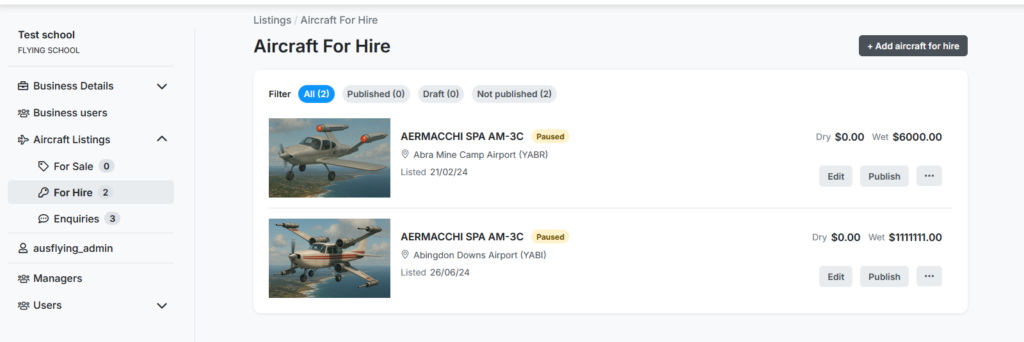
It’s free of charge to list your flying school on Aus Flying. Here’s how to do it.
Step 1: Create an Account.
When you first create your account, you can choose “Standard” or “Flying School”. Make sure you choose “Flying School”.
If you created your account before 11th Jan 2026, please contact us, and we can change the type for you.
Step 2: Login to your account and fill in the basic details
Once your account is properly created, log in and click on dashboard. You will see this screen. First click on “Business Details” and fill in the basic details.
Your flying school will be linked to an airport – select this in the location dropdown. If you don’t fill in this field, your flying school won’t show up on the map.
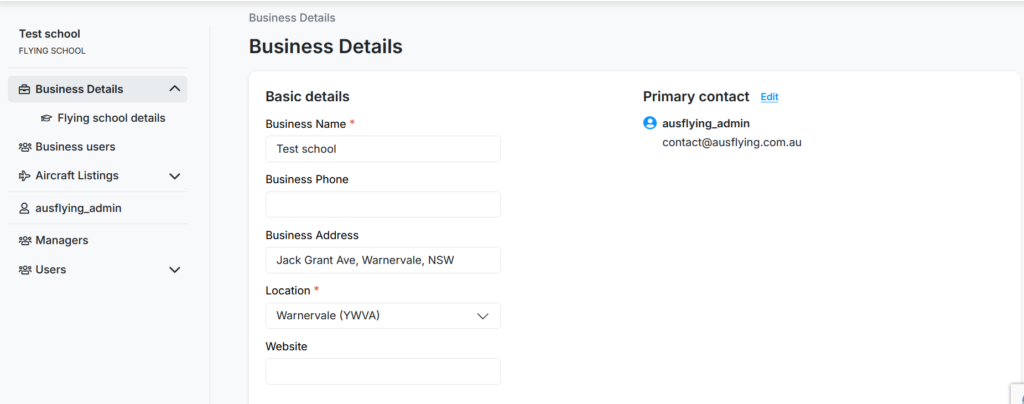
Tip: You can see your account type underneath the school name at the top left.
Step 3: Fill in the Flying School details
Next, click on Flying School Details and fill the data in. This is where you can describe your school, load in testimonials, and information about your instructors. This is the “Main Page” of your flying school. There is a Preview my listing option (make sure you press SAVE before doing this).
At the bottom, you can choose to save as DRAFT or PUBLISHED. Make sure you save it before trying to preview, and after any changes.
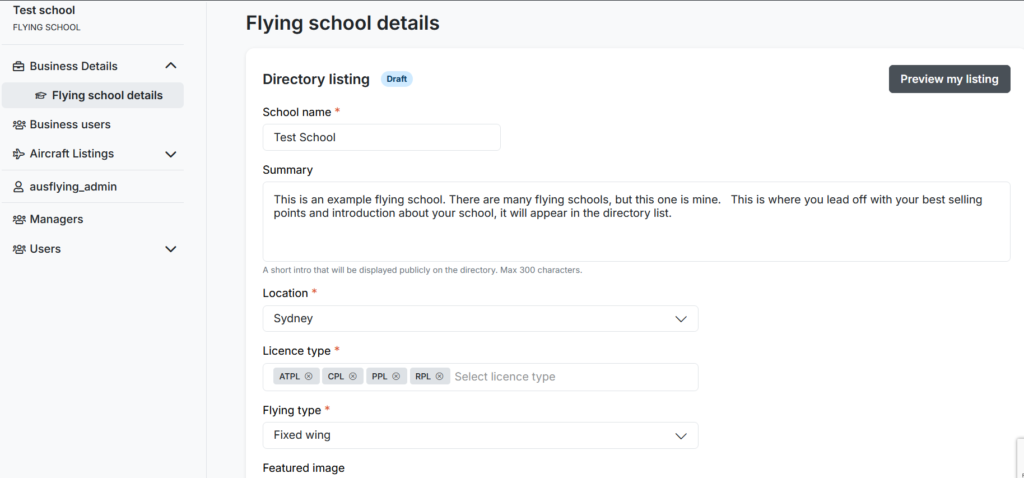
The LOCATION field on the business details is where your flying school will be filtered on the search, and is separate. This is to let users search for “Hunter Valley”, “Melbourne” or NT, without having to know where airports are.
Step 4: Add in your aircraft.
Click on “Aircraft Listings”. You can now add listings for hire (including Dual rates) or for sale by clicking Add aircraft for hire.